Google Maps is enhancing its navigation experience with the introduction of live speedometer and speed limit features for iPhone and CarPlay users, extending functionalities that have been available on Android since 2019. This update aims to boost driving safety and help users avoid speeding tickets by providing real-time speed information.

New Features and How They Work

Live Speedometer:
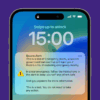
The speedometer feature displays the vehicle’s current speed in the bottom-left corner of the Google Maps navigation screen. It shows the speed in miles or kilometers, depending on the regional settings of the user. If the vehicle exceeds the speed limit, the speedometer changes colour to alert the driver. This visual cue helps drivers maintain safe speeds and avoid potential fines​.

Speed Limit Indicators:
Alongside the speedometer, Google Maps now also displays speed limit signs for the current road. These indicators update in real-time and change colours to warn drivers when they exceed the posted speed limit. This feature is designed to keep drivers informed and promote safer driving habits​.

How to Enable These Features

To enable these features on your device:

1. Open Google Maps and tap on your profile picture.

2. Go to Settings

3. Go to Navigation

4. Toggle on the speedometer option.

The rollout of these features has begun globally after initial testing in regions like India. Google Maps users on both iOS and Android can now benefit from these safety enhancements designed to provide crucial driving information directly within the app.

Google confirmed that this server-side update is gradually reaching users worldwide, ensuring a unified experience across different platforms. This move underscores Google’s commitment to making its navigation tools more useful and accessible to all users, regardless of their device preference.

Safety and Practical Use

While the speedometer and speed limit indicators are valuable tools, Google emphasizes that these features are for informational use only. External factors such as GPS accuracy and road conditions may cause discrepancies between the displayed speed and the vehicle’s actual speed. Therefore, drivers are advised to use these features as supplementary information and not rely solely on them for speed management​.

Instructor Kelli gave her opinion on the new update: “It’s great that iPhone users finally have this feature, but don’t rely on it too much. Speed limits can change and the app won’t update them in real-time. Always use your own knowledge and instincts. For the speedometer, it’s good that it draws your attention to your speed when you’re going over the limit but I’d recommend sticking to your car’s onboard equipment for the most accurate readings.”

The latest update brings iPhone and CarPlay users up to par with their Android counterparts, offering enhanced tools to promote safer driving. By providing real-time speed data and alerts, Google Maps aims to help users navigate roads more safely and efficiently.
Mady S.
5 days ago
I highly recommend them. I had a driving lesson and a mock test, and both were professional and really helpful. The clear feedback improved my confidence, and I passed my test today! Thank you so much for all your help and support⭐️⭐️⭐️⭐️⭐️
Caitlin Y.
6 days ago
I would highly recommend my driving instructor Simon Houghton! He taught me in ways that were completely different to my previous instructors, which really helped me build my confidence and improve my driving. He has a great sense of humour, which made every lesson enjoyable and relaxed. Most importantly, his teaching and support helped me pass my driving test! Couldn’t thank him enough. 🚗🎉
Vicki M.
1 week ago
From back in march when I phoned shift to start to learn to drive they were amazing was assigned a tutor quickly and have to say Lewis is amazing at his job put me at ease from the get go ! Was always calm and knowledgeable and adapted well to me being an older learner being late 40s and 6 months later I passed my test can’t thank Lewis enough for helping me get there quicker then I ever thought I would be can’t recommend them enough
Thanks shift team your the best out there
Jack
3 weeks ago
I booked my test in an area I was mostly unfamiliar with, so I booked three 2-hour lessons with Lewis to get used to the roads beforehand. It was definitely the right call. Lewis was really calm, patient and knowledgeable, and he took me around a lot of the places the test route might cover, so nothing on the day came as a surprise.

He also helped me iron out a few kinks in my driving, and his tips were clear and easy to put into practice. The car was great too, very smooth to drive, and it definitely helped me on the day.

I passed, and I definitely reckon I wouldn't have without him. I'd happily recommend Lewis to anyone, especially if you're taking your test somewhere you're not familiar with. Cheers Lewis!
Jonnie T.
3 weeks ago
Just passed yesterday with 0 driving faults. Thankyou so much to my instructor Paul.
Ellie L.
4 weeks ago
Great driving instructor, I would recommend to anyone!
Annie S.
4 weeks ago
10-10 driving school got me through 23 hours of lessons
Zachary H.
1 month ago
I passed my test yesterday and Simon my instructor was a huge part of that. He was extremely helpful and supportive, very approachable and always had time for my questions and queries. I’d absolutely recommend Shift and Simon to anyone who wants to pass their test and enjoy the process along the way!
Jack M.
2 months ago
I passed my driving test over a week ago through Shift and my instructor, Ciaran, was extremely helpful throughout the entire process. Would recommend for any learners who'd like to learn thoroughly and succeed in their driving test!
Dominic P.
2 months ago
Amazing service and Phil was a first rate instructor. I rang and had lessons later that week. I've had several instructors over the year but Phil made me feel at ease and taught me so many things of thers didn't. Passed my test after a few weeks of teaching. Can't recommend this school high enough. Thanks again Phil!